Speak. Robotron does it.
Your voice assistant for the PC and your phones. Ask in Hindi, Hinglish or English, and Robotron opens apps and websites, reads the page you are on, sends WhatsApp messages, makes calls and finds answers on the web.
Try it free: chat is always free, and every PC gets free commands to test. Windows 10 / 11.
One voice for your whole setup
Robotron listens, understands what you mean and does the work on your PC and phones. When it is not sure, it asks.
Talk naturally
Live voice conversation in Hindi, Hinglish or English. Interrupt any time, ask follow-ups, change your mind. It answers in a clear, natural voice.
Runs your PC
Opens apps and websites, searches, scrolls, reads and sums up the page in front of you, types for you, writes notes and documents, and records the screen.
Runs your phones
With the free Robotron Bridge app on your Android phones (same Wi-Fi), it opens phone apps, sends WhatsApp messages and makes calls, on one phone or several.
Messages & calls
“Message Rahul on WhatsApp that I am running late.” It finds the right contact, reads the message back to you and sends it only after you say yes.
Live answers
News, prices, weather, scores and anything else that changes every day: it searches the web and tells you, instead of guessing from old memory.
Shopping help
Searches Amazon or Flipkart, reads the prices on the page and helps you compare. It can add a product to the cart after you confirm. It never pays and never places an order.
The full list
Every command below works by voice. Anything that sends, calls, deletes or buys waits for your “yes” first.
Your PC
- Open any installed app, file or website
- Search Google, Amazon, Flipkart, YouTube or any site instantly
- Read the page or window in front of you and answer questions about it
- See the screen and click the button you describe
- Type, press keys, scroll, close pop-ups
- Do multi-step jobs on the PC by looking at the screen
- Find files, and delete them to the Recycle Bin after asking
- Switch between windows, close apps, tabs or all tabs
- Scan the PC: installed apps, running programs, drives
- Record the whole screen with sound
Messages & calls
- Send WhatsApp messages: it reads them back and sends after you confirm
- Read your unread messages and notifications aloud
- Read a contact’s recent chat
- Reply in the chat that is open, or let the AI draft a polite reply
- WhatsApp voice and video calls from the PC
- Phone calls by name or number
- AI calls: Robotron talks on the call for you and says it is an AI
- Find contacts, tell their numbers, save new numbers
Your Android phones
- Control one phone, several phones or all of them at once
- Open, close and list the apps on the phone
- Search inside phone apps, type, press keys and scroll
- Do multi-step jobs on the phone by looking at its screen
- Make and end calls, record the phone screen
- Show each phone’s model, Android version, battery and memory
- Skip ads on the phone automatically
- Switch between PC mode and phone mode by voice
Music & video
- Play any song or video on YouTube
- Offer a numbered list of choices, or play the top result straight away
- Next song, stop the music, close YouTube
- Skip YouTube ads automatically while it plays
Answers & creating
- Live answers from the web: news, prices, gold and fuel rates, weather, scores
- Web search with a numbered list of results to open
- Research a topic online and write an article, essay or notes in Notepad
- Build a website or web app from your description
- Change that website by voice: text, colours, phone number, pages
- Answer “is it there?” questions inside any app or site
Shopping
- Search Amazon and Flipkart for any product
- Read the prices on the page and help you compare
- Add a product to the cart after you confirm
- Never pays, never places an order, never types card details
Smart home
- Turn smart bulbs, lights, fans and plugs on or off
- Control a smart TV or AC
- Works with WiZ, Tuya / Smart Life and simple Wi-Fi relays
- Door and gate locks only after your spoken “yes”
Routines
- Teach a routine once: Robotron watches what you do on the PC or phone
- Repeat it later with one command
- Remembers names you use, so the right person gets the message
Always with you
- Live voice conversation: interrupt any time
- Understands Hindi, Hinglish and English
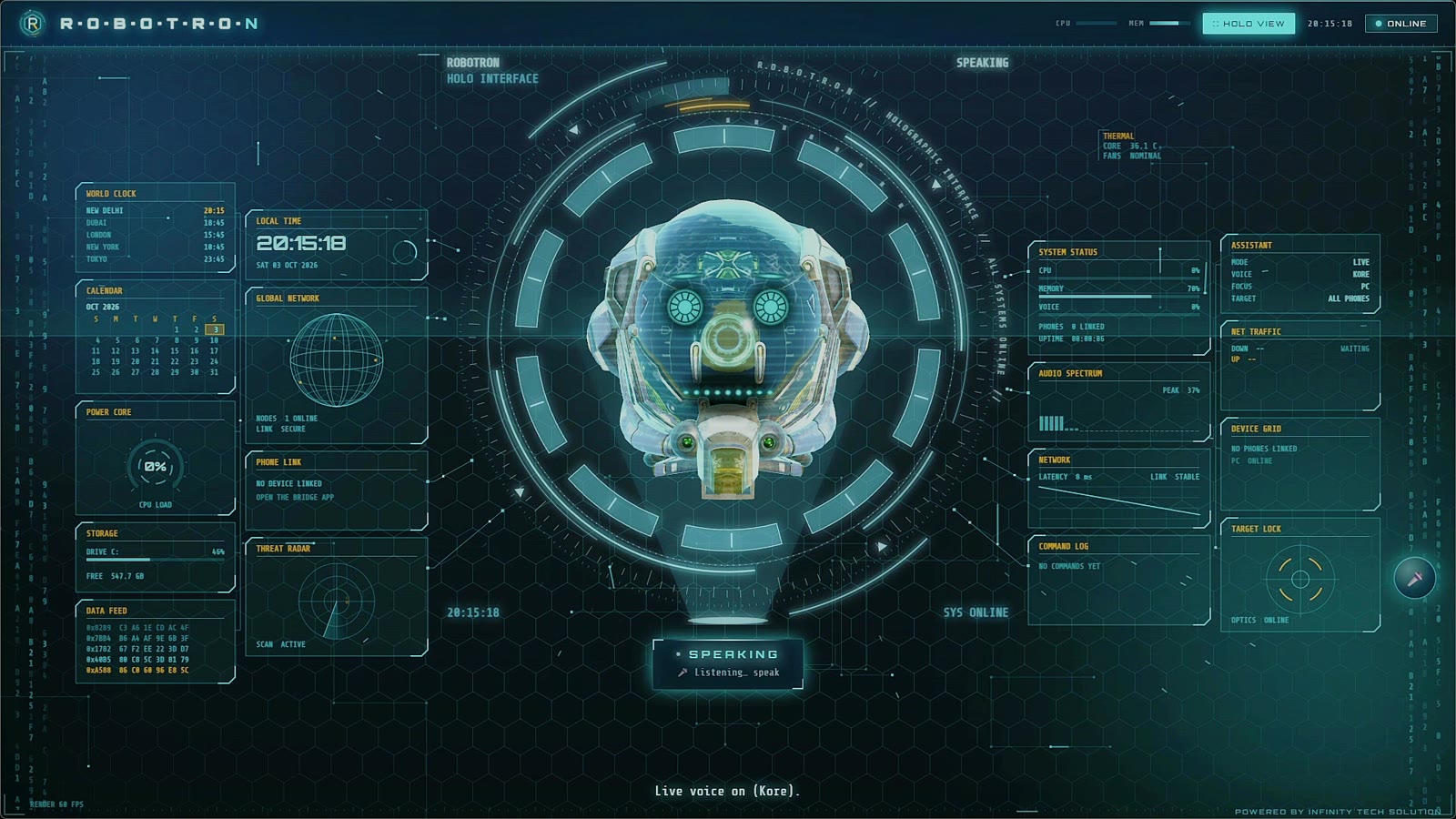
- Full-screen hologram view with live system status
- Tells you straight away when the internet or a service is down
It asks before it acts
- Messages and calls wait for your “yes”. Robotron reads them back first and sends only after you confirm.
- Never your PIN or password. It does not type PINs or passwords, and never pays or places an order for you.
- Works on its own window, not yours. Scrolling, reading and closing act on the app behind Robotron, never on Robotron itself.
- Your own AI keys. Robotron runs on your free Google Gemini and Groq keys, so your conversations go to those services under your own account, not through us.
- Your data stays on your PC. Settings, contacts it learns and history are stored on your computer. We only see what is needed to check your licence.
Three steps
Download & install
Get Robotron for Windows 10 or 11 from the download page and open it.
Add your free keys
The setup screen shows you how to get a free Google Gemini key and a free Groq key, and tests them for you.
Say hello
Robotron introduces itself and starts listening. Ask for anything. Add your phones any time with the Bridge app.
Simple, one-time prices
Chat with Robotron is always free. A plan unlocks commands that act on your PC and phones.
- Unlimited chat and questions
- Free action commands to test it on your PC
- All features, nothing hidden
- Every command on your PC and phones
- Apps, messages, calls, search, shopping, websites
- 1 PC (move it to a new PC from the app)
- Everything in Monthly
- Two months free compared with monthly
- 1 PC (move it to a new PC from the app)
One-time payment through Razorpay (UPI, cards, net banking). Nothing renews by itself. Plans are not refundable, so please try the free commands first: see the refund policy.
WHAT YOU NEED
- A Windows 10 or Windows 11 (64-bit) PC with an internet connection.
- A microphone and speakers or headphones.
- A free Google Gemini API key (required) and a free Groq API key (recommended). The setup screen shows how to make them. Free keys have daily limits set by Google and Groq.
- For phone control: Android phones with the Robotron Bridge app, on the same Wi-Fi as the PC.
Good to know
What exactly am I paying for?
A plan unlocks the commands that act on your PC and phones (opening apps, messages, calls, typing, shopping help and so on) for 30 or 365 days. Chat and questions are free. The AI itself runs on your own Google Gemini and Groq keys, which are free with daily limits.
Do I need my own API keys?
Yes. Robotron uses your own Google Gemini key (required) and Groq key (recommended), so your usage stays in your account. Both have free tiers; the setup screen links to the right pages and tests each key before saving it.
Will it send a message or make a call without asking me?
No. It reads the message or the call back to you and waits for your “yes”. It never types PINs or passwords, and it never pays or places an order.
Which languages does it understand?
Hindi, Hinglish and English work best. It replies in English or Hinglish, depending on how you speak to it.
Does it work without internet?
No. Robotron needs an internet connection for the AI, voice and web answers. It tells you straight away when the internet is down.
Can I use one plan on two PCs?
A plan works on one PC at a time. If you get a new PC, move the plan to it from the app’s plan screen (up to twice a month).
Does it work on Mac, Linux or iPhone?
Not yet. Robotron runs on Windows 10 and 11. Phone control works with Android phones through the Robotron Bridge app.
Can I get a refund?
Plans are not refundable. Every PC gets free commands so you can test Robotron before paying. If something does not work, write to robotron@infinitytechsolutions.tech and we will help. Details in the refund policy.