
Never miss the moment a button appears.
RoboWorker 24/7 watches a page and clicks the button you chose the instant it shows up. On paid plans it also refreshes the page for you, so there is no more sitting and hitting F5.
Free plan: 50 clicks a day. Works while the browser tab is open.
Three steps, one mission
Choose your target
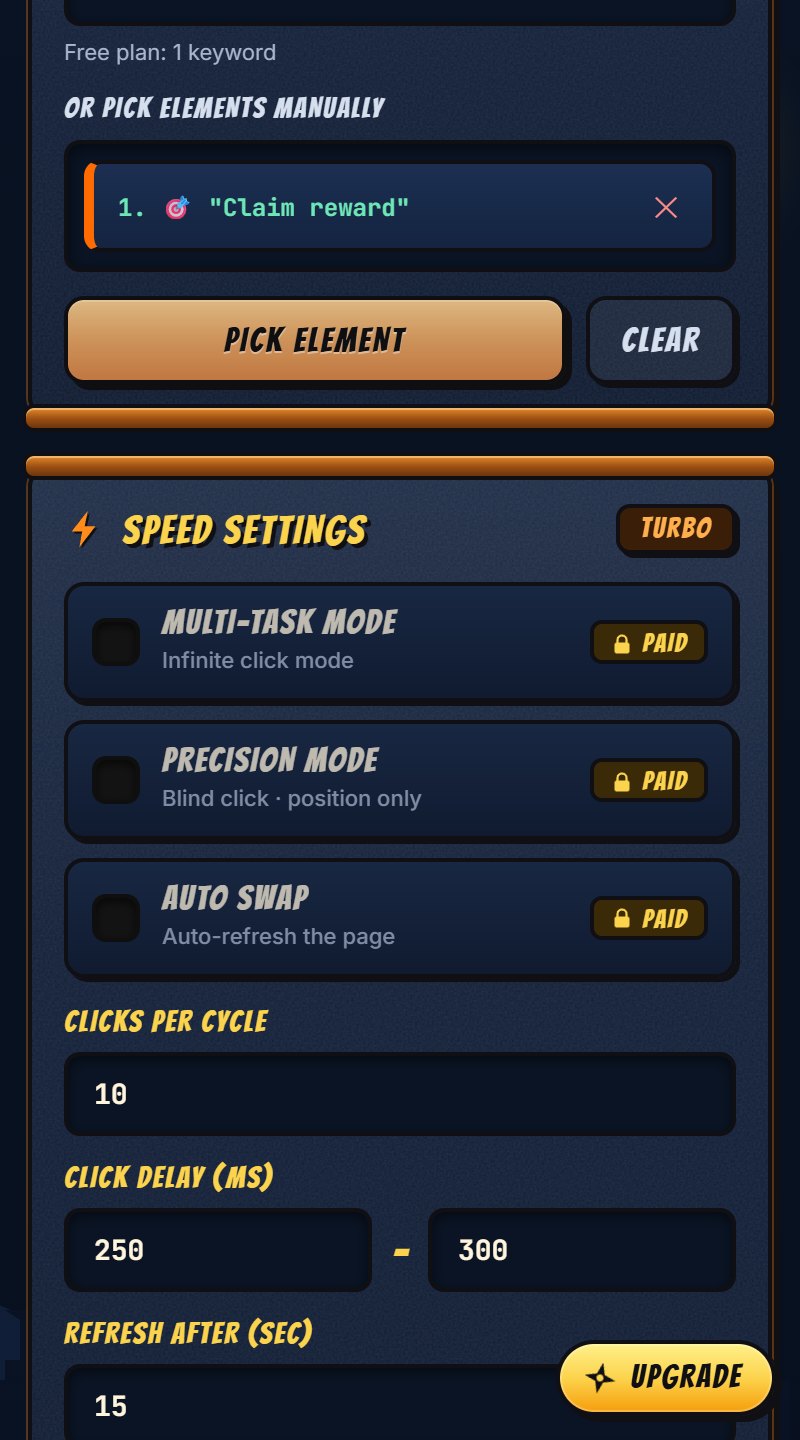
Type a word that is on the button (for example Claim), or use Pick Element and point at the button on the page.
Press START
It watches the page in that tab. On paid plans it also refreshes the page on a timer and carries on after redirects and reloads.
Stop whenever you like
Press STOP, or the Esc key. It also stops by itself when your daily limit or your plan ends.
Your techniques
- Real buttons and links only. A keyword matches a whole word on a button, link or
role="button"element, never plain text on the page. - Any language. Keywords work in Hindi and other non-Latin scripts too, not just English.
- Checks before it clicks. It scrolls the button into view and makes sure nothing (like a cookie banner) is covering it. A click that did not land is never counted.
- Stays in its own tab. The bot belongs to the tab where you pressed START. Your other tabs are left alone, and it does not start by itself after you restart the browser.
- Private by design. Your settings stay in your browser. It never reads or stores what you type into a page, and there are no ads or trackers.
- Clear about its limits. If the extension is updated or its storage is full, it stops and tells you why instead of failing silently.
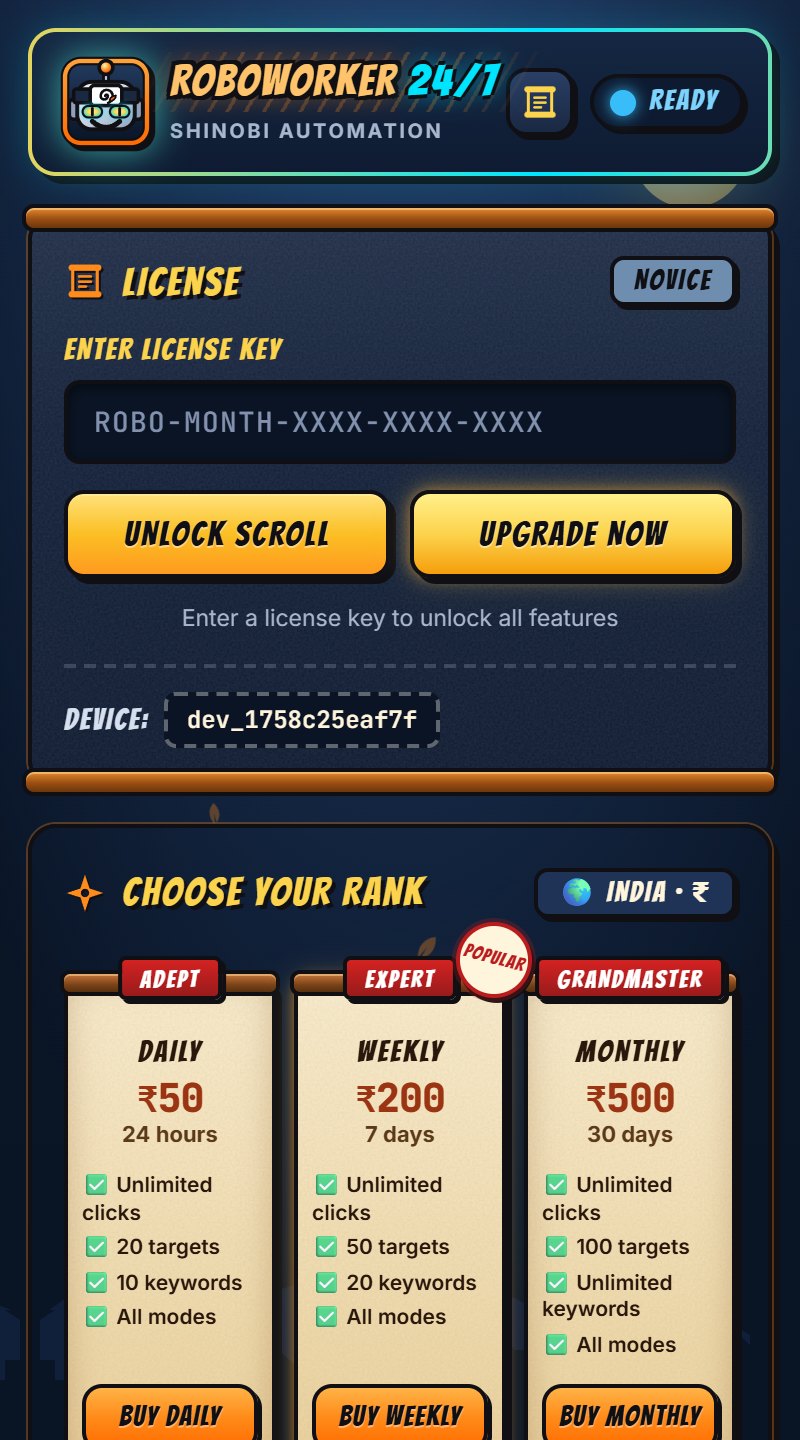
Choose your rank
Start free. Upgrade only when you need more. A paid plan starts when you activate it, not when you pay.
Free
₹0
no time limit
- 50 clicks a day
- 1 target
- 1 keyword
- No ads
Daily
₹50
$4.99 abroad · 24 hours
- Unlimited clicks
- 20 targets
- 10 keywords
- All modes
Weekly
₹200
$14.99 abroad · 7 days
- Unlimited clicks
- 50 targets
- 20 keywords
- All modes
Monthly
₹500
$34.99 abroad · 30 days
- Unlimited clicks
- 100 targets
- Unlimited keywords
- All modes
“All modes” = auto-refresh, multi-task (infinite) mode and precision mode. Pay in INR with UPI / cards (Razorpay), or in USD with an international card (Razorpay or Stripe). It is a one-time payment: nothing renews by itself. Refunds: see the refund policy. Your license key arrives on screen and by email, and the plan starts the moment you activate it.
We build it for you
Have an idea for a paid bot, a browser extension, a website or an AI agent? Infinity TechSolution builds them to order. RoboWorker 24/7, with its own checkout, license keys and admin dashboard, is one we made ourselves.
Paid bots
Automation bots that watch pages, click, fill in forms and report back. Built for your own use, or to be sold with plans and license keys.
Browser extensions
Chrome and Edge extensions (Manifest V3) with a free tier, paid plans and a clean, store-ready package.
Websites & web apps
Fast, mobile-friendly websites, landing pages, dashboards and admin panels, with forms, e-mail and checkout.
AI agents
Assistants and agents that answer customers, read your documents, run tasks or connect your tools and data.
Payments & licensing
Razorpay and Stripe checkout, license keys, e-mail delivery, refunds and a sales dashboard: the system behind RoboWorker.
Something else?
Tell us the problem. If software can solve it, we will say honestly how we would build it and what it would take.
Questions
Is it really free?
Yes. The free plan gives you 50 clicks a day with 1 target and 1 keyword, with no ads. Paid plans remove the click limit and add auto-refresh, multi-task mode and precision mode.
Does it keep running when I close the browser?
No. RoboWorker runs inside the browser tab where you pressed START, so keep that tab open. It works in a background tab too.
Can it see my passwords or what I type?
No. It does not read, store or send what you type into a page, and picking a text or password field never records its value. Page content and browsing history are not sent anywhere. Details are in the privacy policy.
Which browsers work?
Google Chrome, and other Chromium-based browsers such as Microsoft Edge (both were tested).
How do I get and use my license key?
Choose a plan on the payment page. As soon as the payment goes through, your key (it looks like ROBO-MONTH-XXXX-XXXX-XXXX) appears on screen and is emailed to you automatically. If the email does not show up, check your spam or junk folder (the key is always shown on screen too). Open the extension, paste it into the license box and press Unlock Scroll.
Can I use one key on two computers?
A key is tied to one device. If you get a new computer or reinstall the extension, contact support and we will move it for you.
What happens when my plan ends?
The extension goes back to the free plan (50 clicks a day). Your settings are kept.
I have a problem or want a refund.
Read the refund policy, then email akashmamtahimc@gmail.com with your license key and the email you bought with.